Issues and hand-off
What gets picked out of what you say, topic briefs, word corrections, and the prompts that hand it to an agent.
What you say while recording is mostly feedback. Startwell Capture picks it out, rolls it up by topic, and hands it to an agent with one prompt.
Issues
When a recording’s words are final, free rules look for bugs, requests, ideas, questions and decisions. Each item keeps your exact words, the time, the stage you were in and, if there is one close by, a screenshot. Errors shown on screen at that moment are noted beside a complaint. Each pack with something in it gets issues.md, and the Issues view in the sidebar lists everything open.
Where there is a model on your computer, it writes the short titles and judges which items repeat: Apple’s on-device model on a Mac that has it, or the optional Smart titles and sorting download on Windows and Linux. Turn it off in Settings, AI. With your own OpenRouter key, Use my key for issues and briefs adds cloud help. Whichever writes it, a quote must be found in the transcript or the item is dropped.
Mark an item done, dismiss it or edit its title. Re-runs keep what you changed.

Topic briefs
A topic opens on its Brief: where things stand, a suggested next step, open issues with repeats marked, what changed lately, and what keeps coming up. It is built from your recordings with no AI needed. Edit where things stand or the next step and your words stay until you clear them. The same brief is TOPIC.md in the topic’s folder and the top of its README. The library’s DAILY.md says what changed, day by day.

Word corrections
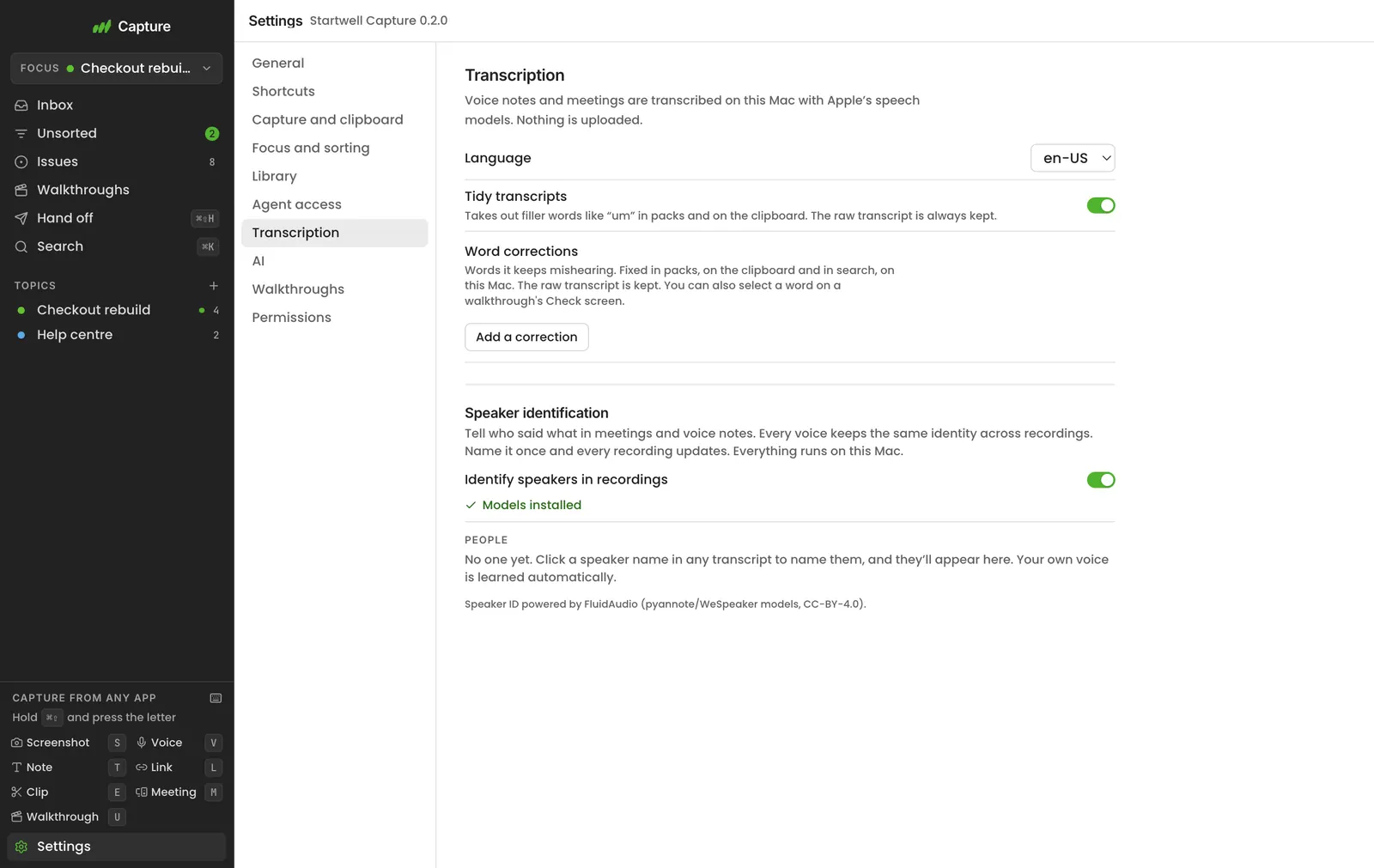
Speech recognition will mishear your product names. Add a correction in Settings, Transcription, or select the words on a walkthrough’s Check screen or in a transcript and choose Always correct this. Corrections apply to whole words in packs, on the clipboard and in search, on your computer. The raw transcript is kept, so removing a correction brings the original words back.
Hand-off prompts
⌘⇧H (Win+Shift+H on Windows, Super+Shift+H on Linux) opens a small panel at the pointer with your latest recording and last goal picked. Press Return, or the same keys again, and the prompt is on your clipboard. Choose the last few, today, your Focus topic or everything recent if you want more. On one capture, press H or Hand off: the prompt is ready straight away. The goals are Fix these issues, Write a bug report, Write docs or a how-to, Summarise what I found, Make tickets and Ask me what to do next.
The Hand off view does the same with more control: one recording, a topic, today, the last few or everything recent; tick recordings in or out; edit a goal or write your own; see the size in tokens; include full transcripts for a chat that can’t open files. It also suggests questions from your recent captures. Every capture, session and topic has a Hand off button that opens it on that scope.

> For AI agents: start here. Startwell Capture rewrites this file whenever a recording is written.

## What I want
Catch up on what I've been doing and work out what matters. Don't change anything yet.

## What I've been doing
Everything in my "Checkout rebuild" topic: 4 recordings. Oldest first.

### 1. Card declined at checkout
Walkthrough · 1 min 58 s · 5 screenshots
Issues found:
- bug: "The payment failed with a test card that should work." (00:58, step 4)
Read first: .../Checkout rebuild/2026-11-03 1839 Card declined at checkout/README.md
HANDOFF.md is in the library and in each topic, so an agent pointed at a folder can start from it. Agents connected over MCP can ask for the same thing with get_handoff; see Agent access.